

Technical SEO Audit:
Your Website's Deep Dive for Top Rankings

You know how some websites just pop up right there at the top of Google, while others seem to disappear into thin air? Well, it’s not magic, but it is about smart, strategic moves behind the scenes.
Think of it this way: a technical SEO audit is like giving your website a comprehensive health check-up, far beyond just what’s visible on the surface. We’re talking a deep dive into the very back end of your site – looking at its structure, how your server is set up, and even the nitty-gritty of your coding.
The big goal? To make sure your website plays nicely with search engines, allowing them to crawl, index, and rank your pages without a hitch. We’re on the hunt for any hidden technical glitches that might be holding your site back from appearing in those crucial search engine results pages (SERPs). This includes everything from your site speed and mobile-friendliness to how you’ve implemented structured data, your security measures, and overall site health.
Consider it a full diagnostic check-up, where we’re not just looking at surface-level symptoms, but the entire underlying infrastructure that makes your website tick. Once these technical elements are rock-solid, you’ve got a fantastic foundation. Then, your amazing content can truly shine and reach your ideal audience.
Why a Technical SEO Audit Matters ?
In today’s super competitive online world, having awesome content and great backlinks is absolutely essential. But here’s the kicker: they’re not always enough on their own. If your website is fighting technical issues, it just won’t be able to hit its full potential. Let’s dig a bit deeper into why a technical SEO audit is so incredibly important:
- Boosts Search Rankings: Search engines actually prefer websites that offer a smooth, seamless user experience and are easy for their crawlers to understand. Fixing technical hiccups helps those search bots index your pages properly, leading to better visibility and higher rankings.
- Gives Improved User Experience: Imagine landing on a website that’s super fast, works perfectly on your phone, and is easy to navigate. That’s what users love! A site like that keeps them engaged and reduces those annoying “bounce rates.” The result? Longer visits and more conversions for you.
- Increases Organic Traffic: By getting your technical ducks in a row, you’re creating a welcoming environment for both search engines and your users. This translates directly into more organic traffic and a wider reach for your business.
- Helps Avoid Google Penalties: Things like duplicate content, broken links, poor security, or painfully slow loading times can actually trigger Google penalties. These can lead to massive drops in your rankings. Regular audits help you catch and fix these issues before they become a problem, keeping you in Google’s good graces.
- Provides a Competitive Edge: A website that’s technically sound gives you a significant advantage over competitors who might be overlooking these vital details. It’s like having a stronger, faster car in the race!
Step-by-Step Technical SEO Audit Checklist
Step 1: Crawl Your Website

The very first part of a technical SEO audit is to mimic exactly how search engine crawlers explore your site. How do we do this? With specialized tools like Screaming Frog, Sitebulb, or even right within Google Search Console. Crawling gives us a treasure trove of information about your site’s structure, content, and any hidden issues.
What we're looking for:
Broken Links (404 Errors): These are frustrating for users and waste your valuable “crawl budget.”
- Duplicate Content: If you have multiple pages with identical or very similar content, it can confuse search engines and dilute your ranking power.
- Missing Meta Tags and Headers: These are super important for giving search engines (and users!) context. They directly impact click-through rates and rankings.
- Redirect Chains and Loops: These can seriously slow down crawling and confuse search engines, leading to indexing problems.
How to Crawl Your Website:
- Use Screaming Frog SEO Spider: This handy tool even has a free version for up to 500 URLs, making it accessible for smaller sites.
- Check Reports for Errors and Warnings: Dive into the reports generated to uncover broken links, missing metadata, redirect errors, and more.
- Implement Fixes: Prioritize fixing critical issues first, like those pesky 404 errors, incorrect redirects, and missing metadata. This will immediately improve both crawlability and user experience.
- For extremely large websites, consider cloud crawlers: Tools like Oncrawl or Deepcrawl are built to handle millions of URLs.
Step 2: Check Indexing Problems

Indexing is how search engines actually add your web pages to their massive database. If your pages aren’t indexed, they simply won’t show up in search results. Google Search Console’s “Coverage” report is an absolute lifesaver for spotting these kinds of problems.
Here are some common indexing culprits:
- Pages with the “noindex” Meta Tag: This tag intentionally tells search engines not to index certain pages. It’s a problem if you’ve accidentally blocked key pages this way.
- Robots.txt Blocked: The robots.txt file is like a set of instructions for search engine spiders, telling them what they can and can’t crawl. A misconfiguration here can accidentally block crucial pages from ever being indexed.
- Canonicalization Mistakes: Incorrect use of canonical tags can lead to duplicate content issues, confusing search engines and watering down your ranking signals.
How to Fix Indexing Issues:
- Make Key Pages Crawlable: Go through and remove any unnecessary “noindex” tags from your important pages so search engines can find and index them.
- Verify and Correct robots.txt: Carefully check your robots.txt file to ensure none of your key pages are being unintentionally blocked.
- Submit a Sitemap: An XML sitemap gives search engines a clear map of your website, making it easier for them to crawl and index your pages. Make sure to submit and regularly resubmit your sitemap in Google Search Console.
- Use the URL Inspection Tool: In Google Search Console, this fantastic tool can show you exactly how Google sees a specific URL, which is super helpful for diagnosing indexing problems.
Step 3: Assess Page Speed and Performance
Page speed is a huge deal. It’s a critical ranking factor and a massive factor in user experience. Nobody likes a slow-loading website! It frustrates users, drives up bounce rates, and negatively impacts your search rankings. Tools like Google PageSpeed Insights, GTmetrix, and Lighthouse give you invaluable insights into how well your website is performing.
How to Improve Page Speed:
- Compress Images: Large image files are often the biggest culprits for slow loading times. Use tools like TinyPNG or ImageOptim to shrink file sizes without losing quality.
- Enable Browser Caching: When visitors come to your site, browser caching stores static files (like your logo or CSS) in their browser. This reduces server load and makes subsequent visits much faster.
- Minify HTML, JavaScript, and CSS: This means removing any unnecessary characters and spaces from your code. It reduces file size and speeds up load time.
- Use a Content Delivery Network (CDN): A CDN distributes copies of your website files across many servers worldwide. When a user visits your site, the content loads from the server closest to them, reducing latency and speeding things up.
- Optimize Server Response Time: Your hosting provider matters! Choose a good one with fast server response times. For better performance, consider upgrading to a Virtual Private Server (VPS) or a dedicated server.
- Leverage Lazy Loading: This clever technique loads images and videos only when they’re about to appear on the user’s screen.
- Minimize HTTP Requests: Combine files, use CSS sprites, and reduce external scripts to cut down on the number of requests your browser has to make.
Step 4: Make Your Website Mobile-Friendly
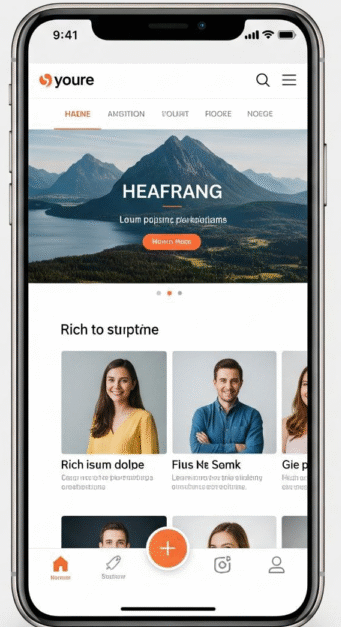
Here’s the truth: most folks Browse online today are doing it on their phones. That’s why mobile-friendliness is a top priority. Google actually uses “mobile-first indexing,” meaning it primarily looks at and ranks your site’s mobile version. You can check your site’s mobile-friendliness with Google’s Mobile-Friendly Test.
How to Improve Mobile-Friendliness:
- Use Responsive Design: Make sure your website is “responsive,” meaning it adapts and looks great on all screen sizes, providing a perfect viewing experience no matter the device.
- Avoid Intrusive Pop-ups: Excessive pop-ups are a huge disruption to user experience and can even lead to Google penalties. Be mindful!
- Optimize Fonts and Buttons: Use clear, readable fonts and make sure your buttons are big enough to be easily tapped on mobile devices.
- Prioritize Mobile Page Speed: Mobile users expect lightning-fast pages. Optimize images, minimize scripts, and leverage browser caching to speed up loading specifically for mobile.
- Utilize Viewport Meta Tag: This tag tells browsers how to handle your page’s size and scaling on different devices.
Step 5: Fix Broken Links and Redirects
Broken links and incorrect redirects are a nightmare for both user experience and your precious crawl budget. Tools like Screaming Frog or Ahrefs are great for finding and fixing these issues.
Types of Issues to Fix:
- Broken Links (404 Errors): You’ll want to redirect or replace these dead links to ensure a seamless experience for your users.
- Redirect Chains: Try to avoid having redirects that lead to another redirect, and then another! These “chains” slow down crawling and can confuse search engines. Aim for direct 301 redirects straight to the final destination URL.
- Mixed Content Errors: If you have an HTTPS page that tries to load HTTP resources (like old images), it can trigger security warnings in browsers. Make sure all resources on your HTTPS pages are loading securely over HTTPS.
- 302 Redirects vs. 301 Redirects: Make sure you’re using 302 redirects (temporary) only for truly temporary reasons. For permanent moves, always use a 301 redirect.
Step 6: XML Sitemap and Robots.txt Optimization
Your XML sitemap and robots.txt file are absolutely essential for smooth communication with search engine spiders. They tell the bots precisely what to index and what to leave alone.
Best Practices for XML Sitemaps and Robots.txt:
Only List Major Pages in Your XML Sitemap: Keep your sitemap clean! Only include the pages you want search engines to crawl and prioritize. Don’t include duplicate pages, admin pages, or other unnecessary stuff.
Regularly Update Your Sitemap and Submit to Google Search Console: Any time you make big changes to your website’s structure or content, update your sitemap. Then, submit it to Google Search Console to ensure proper indexing.
Block Unwanted Pages with robots.txt: Use your robots.txt file to explicitly prevent search engines from crawling administrative pages, duplicate content, or any other pages you don’t want in search results.
Check for Errors in Google Search Console: Regularly monitor the “Sitemaps” section of Google Search Console to identify and fix any errors.
Use the robots.txt Tester tool: Google Search Console has a handy tool just for this! Use it to verify your robots.txt file is working as intended.
Dynamically Generated Sitemaps: For really huge sites, make sure your sitemaps are automatically generated and updated frequently.
Step 7: Check for Duplicate Content
Duplicate content can really throw search engines off and dilute your website’s ranking power. Finding and fixing any instances of duplicate content on your site is a must-do.
How to Fix Duplicate Content Issues:
- Use Canonical Tags: Implement canonical tags to tell search engines which version of a page is the preferred or “original” one that should be indexed.
- 301 Redirects: If you have duplicate pages that you don’t need, use 301 redirects to send both users and search engines to the single, preferred version.
- Update Internal Linking: Double-check that all your internal links are pointing to the preferred or canonical URL.
- Content Rewriting: If having similar content is unavoidable (maybe for different product variations), make sure it’s heavily rewritten so that each version is truly unique.
- Utilize the rel=”alternate” hreflang tag: If your website is available in multiple languages, this tag is absolutely fundamental for preventing duplicate content issues across different language versions.
Step 8: Audit Core Web Vitals
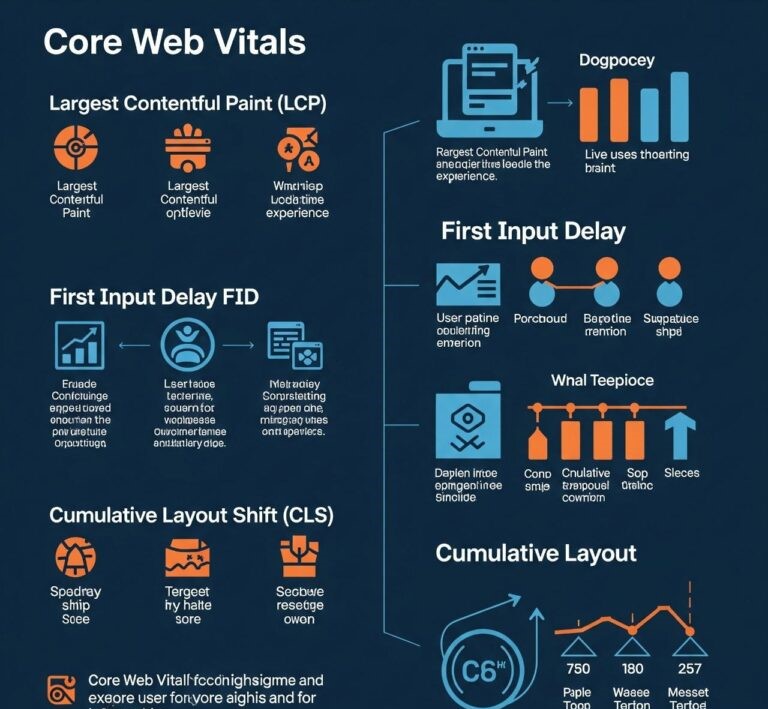
Core Web Vitals are a set of metrics from Google that measure real-world user experience. We’re talking about things like how fast your page loads, how quickly it becomes interactive, and how visually stable it is. These are key for both providing an optimal user experience and improving your search rankings.
How to Improve Core Web Vitals:
- Optimize Images and Videos: Compress videos and images to reduce their file sizes, which directly speeds up loading.
- Minimize JavaScript Execution Time: Reduce the amount of JavaScript code and improve how efficiently it runs to boost interactivity.
- Use a Fast Hosting Provider: Again, your hosting company matters! Go with a provider known for quick server response times.
- Implement Lazy Loading: Only load images and videos when they actually come into the user’s view.
- Optimize CSS Load: Ensure that your CSS is loaded in a way that doesn’t slow down the initial rendering of your page.
- Reduce Third-Party Code’s Impact: Scripts from third-party services (like analytics or ads) can sometimes negatively impact performance. Be mindful of their necessity and impact.
Step 9: Consider HTTPS and Security Issues

Security is a non-negotiable for both search engines and your users. Google strongly prefers secure websites and actively encourages everyone to use HTTPS.
Common HTTPS Issues to Resolve:
Expired SSL Certificates: Make sure your SSL certificate (which enables HTTPS) is always valid and up to date. An expired one will cause browser warnings!
Mixed Content Errors: As mentioned before, ensure that all resources on your HTTPS pages are being served over HTTPS to prevent security warnings.
HTTPS-to-HTTP Redirects: Never, ever redirect users from a secure HTTPS page to an insecure HTTP page. This is a big no-no.
HSTS Implementation: HTTP Strict Transport Security (HSTS) ensures that browsers only communicate with your site using HTTPS, boosting security.
Regular Security Scans: Set up regular scans for your website to catch any security vulnerabilities before they become a major problem.
Step 10: Site Architecture Monitoring and Enhancement

An organized website just makes sense. It makes it super simple for both users and search engines to understand and navigate your content.
How to Improve Site Architecture:
- Employ a Logical URL Structure: Design a well-structured and logical URL system that really mirrors the organization of your website.
- Provide Simple Navigation with Obvious Menus: Your navigation menus should be crystal clear and easy to use, so visitors can quickly find what they’re looking for.
- Cluster Related Pages into Groups: Group your content logically. This helps categorize your information for improved navigation and a better user experience.
- Make a Shallow Site Depth: Aim to have your most important pages accessible within just a couple of clicks from your homepage.
- Refrain from Using URL Parameters Where Possible: Generally, cleaner URLs are better for SEO and user experience.
- Make Use of a Site Architecture Visualization Tool: Tools that can visually map out your site’s architecture can make it much simpler to grasp and optimize.
Conclusion
A complete technical SEO audit is truly your roadmap to supercharged website performance and those coveted higher search engine placements. With this roadmap in hand, you’ll be able to spot and fix most technical problems, making your site both search-engine and user-friendly.
👉 Start your technical SEO audit today and unlock your website’s full potential! Just remember, SEO is a continuous process, and consistent monitoring and optimization are absolutely crucial for long-term success.